
Category: Uncategorized

  • Chatbot Message:

    Chatbot Message:

    Due Date: Thursday, September 12, 2024 in class

    * “A chatbot is a program that engages in conversations with humans using Artificial Intelligence (AI) technologies such as Natural Language Understanding (NLU) and Machine Learning. Think of an AI chatbot as a virtual assistant that you can talk with in a two-way dialogue” (webio.com, 2023).

    A screenshot of ChatGPT prompt

Description automatically generatedAssignment Description: 

    • Use chatbot software (Grammarly is an option) to create a direct-order message.
    • Type in the prompt box key ideas: direct-order message, a company name, praise, return and/or complaint.
    • Bring the AI-generated response to class with your answers to the following 5 questions.

    Questions to Answer

    1. What is the benefit of using artificial intelligence (AI) technologies to write your message for you?
    2. Does the message flow together? Explain your answer.
    3. Is it ethical to use AI to write your messages?
    4. Is the language personal or impersonal? Give examples of personal or impersonal language. What changes would you make to make it more personal?
    5. Does AI use the best word choices or phrases? Explain your answer with an example.
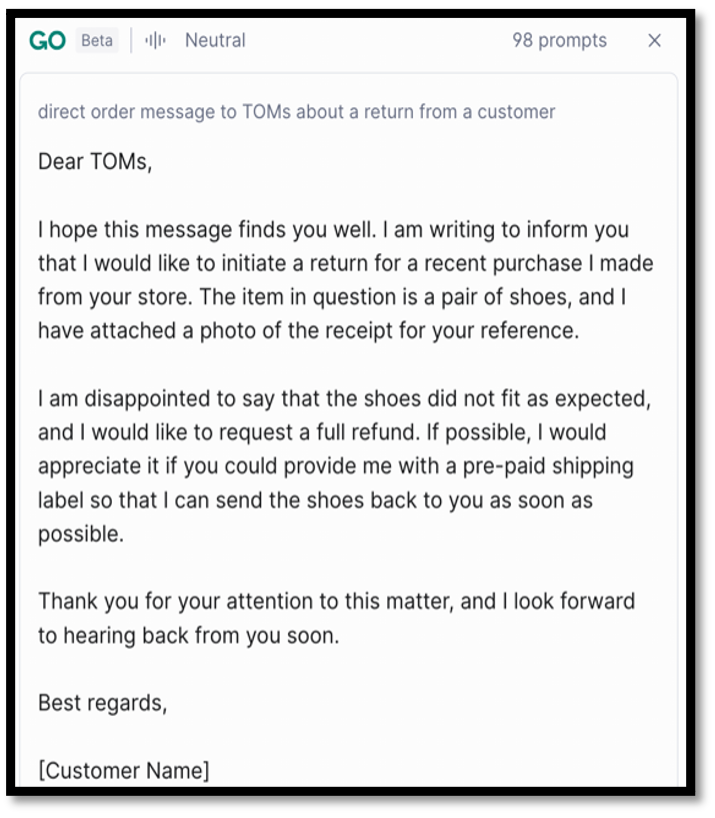
    One of many AI writing tools: AI Writing & Text Generation Writing Tool

    Check out this article on the Guidelines for the Ethical Use of Generative AI (i.e. ChatGPT) on Campus.

  • Shutdown Phrases

    Shutdown Phrases

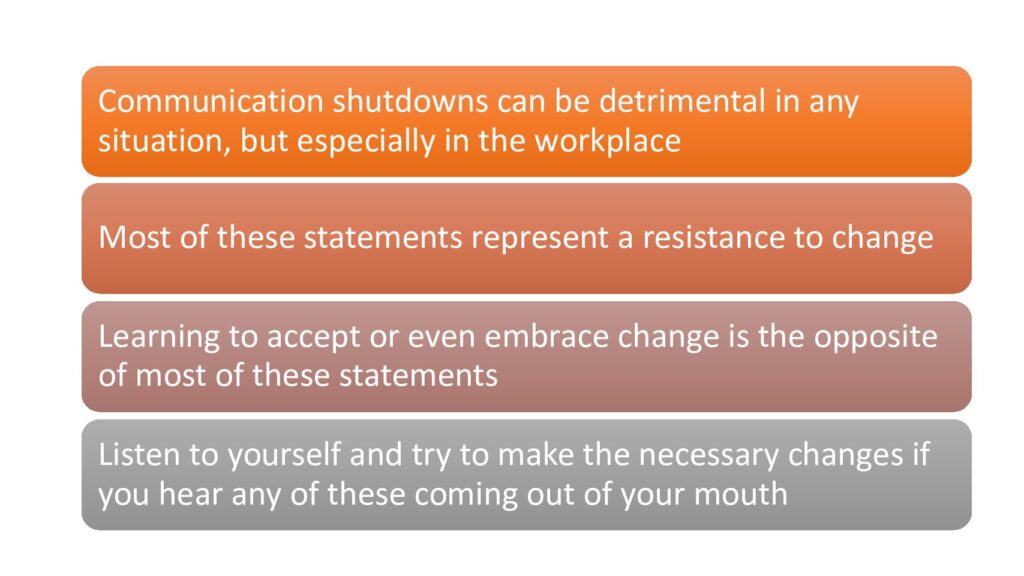
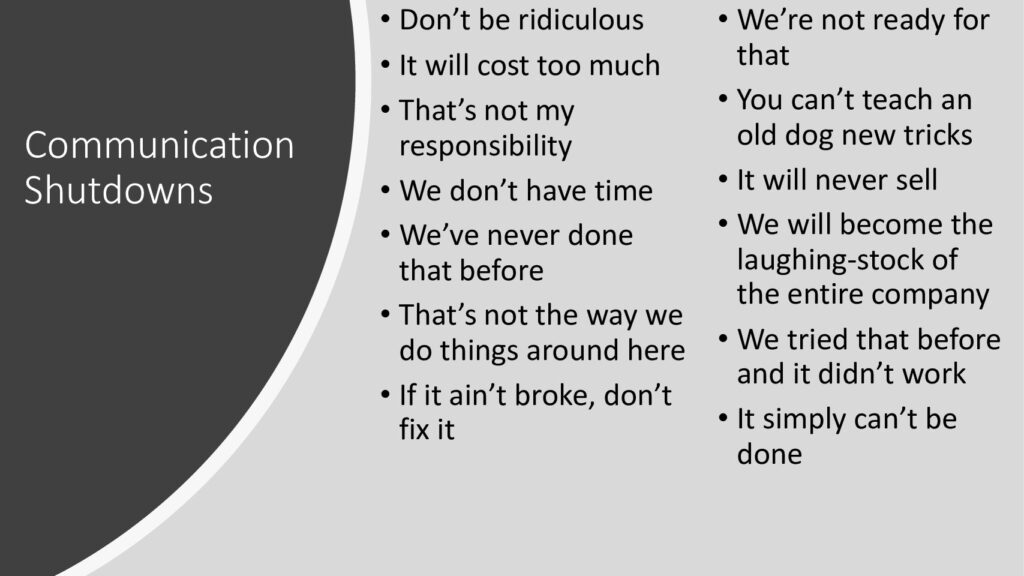
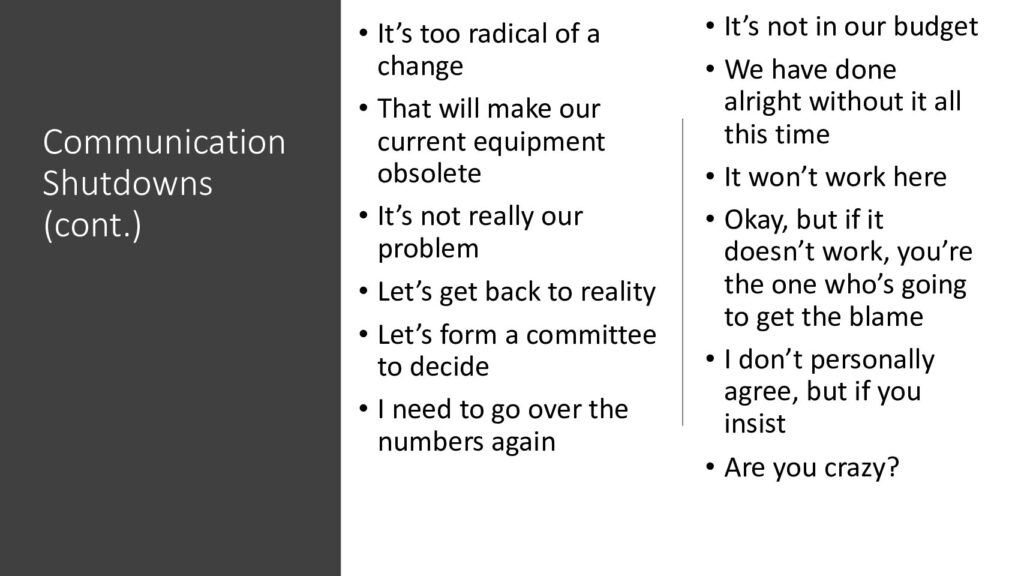
    Today we talked about phrases we hear (and use) that often cause people to shutdown and stop communicating. These things thwart creativity within groups and can keep use from really shining. Often, these things are said due to fear of trying new things.

    Review the list. Is there any phrase(s) that you find yourself using either at home or in a team? If so, try to eliminate them. Learn to keep an open mind to keep creativity flowing. Find ways to say “yes”.

  • Client Presentation

    Each group will give a 20 minute presentation about the website project they have been working on. Remember – this is a technical presentation for non-technical people. If you need to run anything by a non-tech person, remember that I am here for you.

    Practice is Tuesday, April 26 in the auditorium. CSS will go at 12:15 (sharp), and Rocket will begin at 12:45 (sharp). Have your outlines prepared by then and have done your practice of your individual parts. Be sure to use a timer when you practice.

    Just as your project has been a group effort, your presentation should be as well. Each member will explain their role and contribution.  Each group member MUST have a speaking part and the presentation should flow well between each speaker.  Plan very clear transitions between each speaker.  Such as, “Now that I have shown you how the data supports this project, I will turn it over to Mary who will discuss some concerns we had on this project.”

    Your website will be your visual aid, so organize your speaking parts on who will show and speak to what part.  The demonstration of the website is a very important part of this presentation, so practice with that.  You may use one or two PowerPoint or Google Slides such as a title slide and one with your group name, members’ names and titles, etc.

    Remember your professionalism…..dress in business casual, use great eye contact, speak up, stay professional while your other group members are speaking and direct your attention to them.  Remember to explain any technical jargon that you may use.  Be prepared for Q&A afterwards.

    Here is a suggested outline:

    • Opening
      • Introductions
      • Website
    • Transition
    • 1st Main Point
    • Transition
    • 2nd Main Point
    • Transition
    • 3rd Main Point
    • Transition
    • 4th Main Point
    • Recommendations for Future
    • Thank the people for their time
    • Q & A